
Star Eraser for AI Images
Remove the sparkle from the corner of your Gemini images. Free, private, on-device.
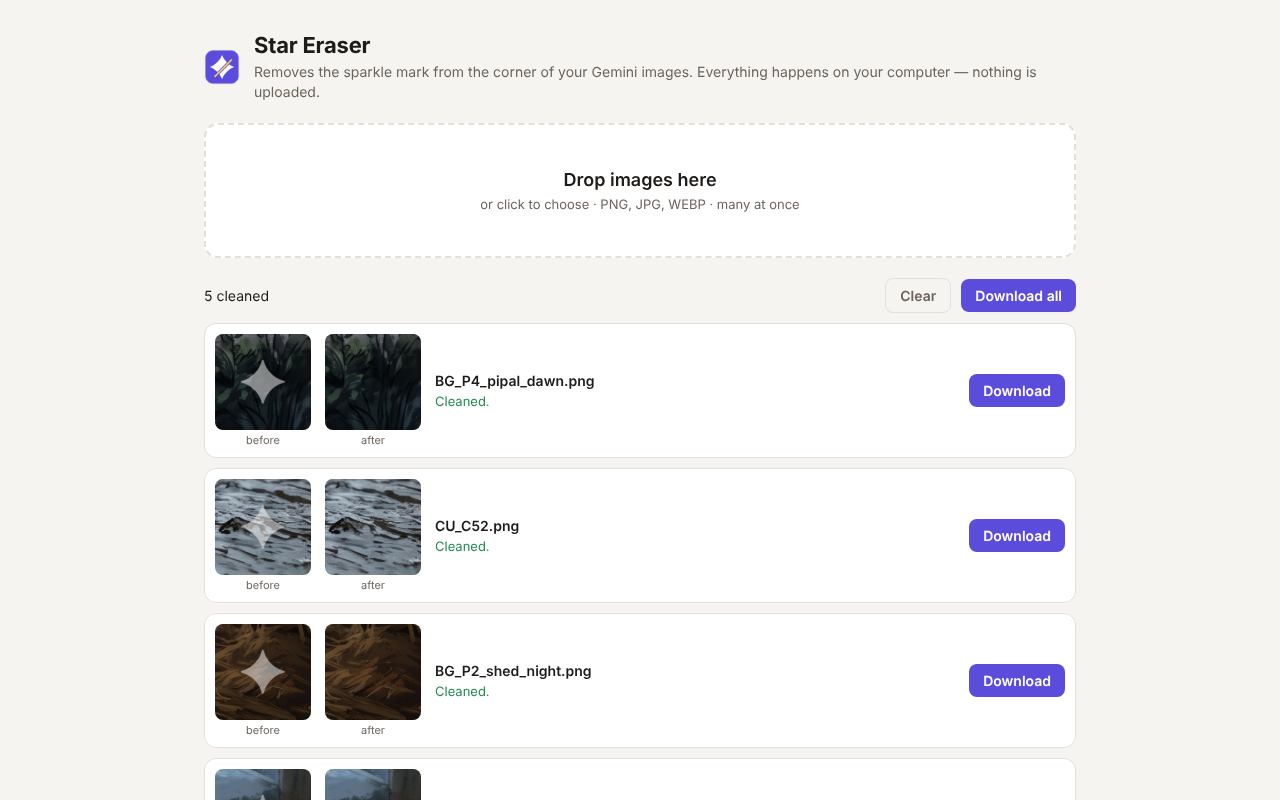
How to use it
- Click the Star Eraser icon in Chrome's toolbar.
- Drop in one image or many (PNG, JPG or WEBP).
- Download the clean versions, one by one or all at once.
Why the result looks clean
The sparkle is a semi-transparent white shape laid on top of your picture. Star Eraser doesn't blur it or paint over it. It reverses the blend mathematically and recovers the original pixels underneath, so fine lines, textures and dark scenes stay sharp. It also checks its own work: if an image has no sparkle, it's left untouched.
Private by design
- Everything runs inside your browser. Images are never uploaded.
- No account, no tracking, no ads, no permissions.
- Only the visible mark is removed. Google's invisible SynthID tag stays in the image.
Help and feedback
Found an image it doesn't clean properly? Open an issue on GitHub and attach the image if you can.